GTA 6 softlock: no "restore engine" prompt after applying Ultimate Edition car kit early
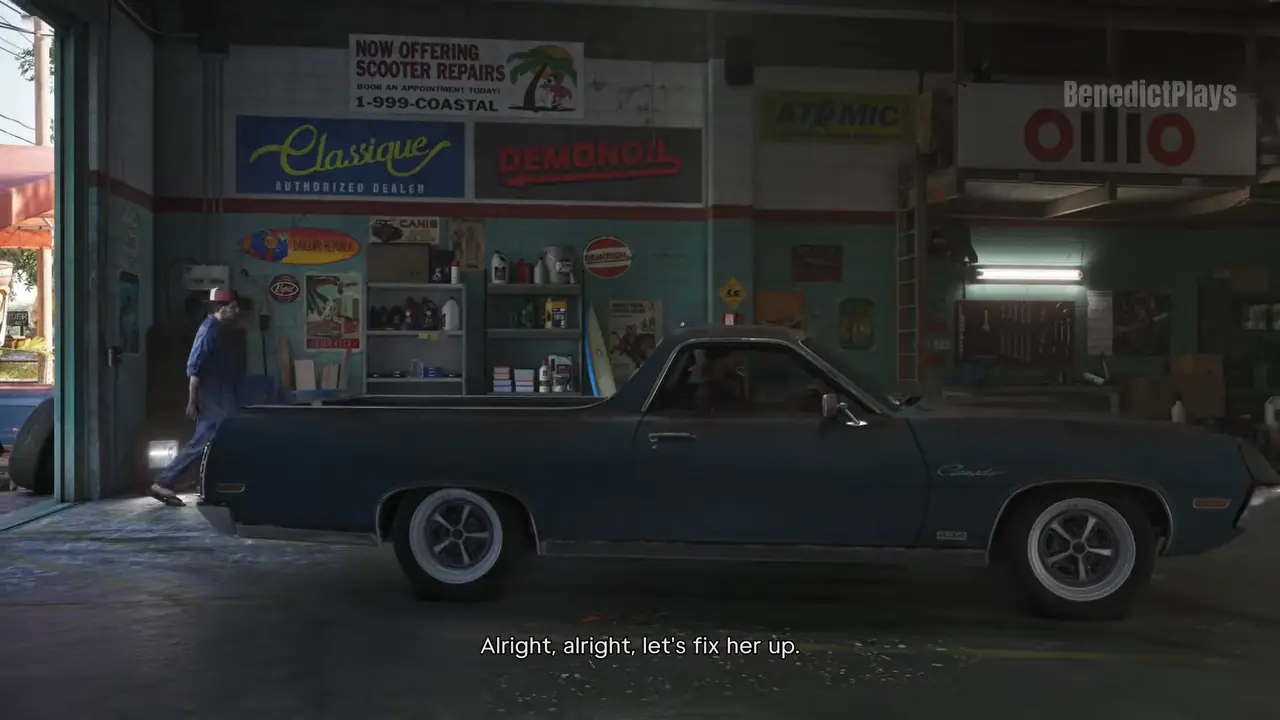
Applying the free Ultimate Edition paint/kit to Jason's Vapid before the "fix your car" story step can remove the restore-engine prompt and block Joey's mission.
Workaround
No patch yet. Reload a save from before you applied the Ultimate Edition kit (check manual saves and autosaves in the pause menu). If you haven't started that part yet, don't apply the bonus car kit to Jason's car until after the fix-your-car mission and Joey's cutscene mission. Make a manual save before visiting any customization garage.
Unsubscribe with one click from any email.
What happens
Players on both PS5 and Xbox Series X report the same progression blocker. If the Ultimate Edition bonus customization (paint/kit for Jason's Vapid) is applied before the story asks you to fix up the car, the garage menu later no longer offers the "restore engine" option. The objective can't be completed and the customization menu can't be closed without loading an older save, so Joey's follow-up mission stays locked. One PS5 player and one Series X player described it independently in the r/GTA6 launch-day bugs megathread.
Steps to reproduce
- Own the Ultimate Edition. 2. Before the "fix your car" objective, customize Jason's Vapid with the Ultimate Edition paint/kit. 3. Reach the garage step of the story — the "restore engine" prompt is missing and the menu can't be exited.
Players reporting this
- 1
Other bugs in Just a Scratch
No other bugs reported in this mission yet.
Next missionHey Arnold!Related bugs
- 0Votes
- 0Votes
- 0Votes
- 0Votes

Hot right now
- 2Votes
- 9Votes


Discussion
Join the discussion
No account needed. Be civil, no personal info, no piracy or cheat links.
No replies yet. Can you reproduce it? Found a workaround? Start the thread.