GTA 6 Xbox error 0x803F8007 "To play this, you will need to buy it"
Xbox Series X|S says you need to buy GTA 6 again (0x803F8007) because the pre-order was cancelled or refunded, usually after a failed payment near launch. Check Order history and the payment method.
Workaround
- Open account.microsoft.com > Order history (or Settings > Account > Payment & billing on the console) and look at the GTA VI order.
- If it says Canceled or Refunded, you no longer own the game: fix or replace the payment method and buy GTA 6 again from the Microsoft Store (the preloaded data stays on the console, so it starts without a full redownload).
- If the order says Completed, sign in with the account that bought it, check the Xbox status page, and set the console as your home Xbox (Settings > General > Personalization > My home Xbox).
- Restart the console fully (hold the Xbox button for 10 seconds) and try again.
Unsubscribe with one click from any email.
Video
What happens
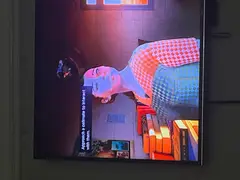
Some Xbox Series X|S players who pre-ordered GTA 6 get the message "To play this, you will need to buy it. Either your purchase was refunded or your preorder was cancelled" with error code 0x803F8007 when they try to start the game after it unlocks. A YouTube video shows the exact screen on an Xbox account whose GTA VI order sits in Microsoft order history.
This is not the same as error 0x803F8001 ("Do you own this game?"), which is a licence check that fails while the purchase is still valid. Xbox support says 0x803F8007 means the store no longer sees an active purchase. Microsoft normally charges a pre-order only about 10 days before release, so if the card was declined, expired or had too little money, the pre-order can be cancelled silently shortly before launch.
Steps to reproduce
Pre-order GTA 6 on Xbox with a payment method that fails when Microsoft charges it before launch, then try to launch the game after it unlocks.
Players reporting this
- 1
- 93
- 2
AarohanTechSol
Other GTA 6 error codes
All error codes on PS5 & Xbox →- 0x80832003GTA 6 Xbox error 0x80832003 "There's a temporary network problem" when launching
- CE-108262-9GTA 6 PS5 error CE-108262-9: console crashes seconds after launch
- CE-107891-6GTA 6 PS5 error CE-107891-6: can't start the game or app
- CE-108255-1GTA 6 CE-108255-1 error on PS5: crash to home screen fix
- CE-100095-5GTA 6 PS5 error CE-100095-5 "Can't start the game"
Related bugs
- 0Votes
- 0Votes
- 0Votes
Hot right now
- 2Votes
- 3Votes

Discussion
Join the discussion
No account needed. Be civil, no personal info, no piracy or cheat links.
No replies yet. Can you reproduce it? Found a workaround? Start the thread.