Newsroom/
GTA 6 Graphics Downgrade After Update: What Players Report
PS5, PS5 Pro and Xbox players say GTA 6 looks blurrier after update 01.002.002. Rockstar hasn't commented. What players report and what helped some of them.
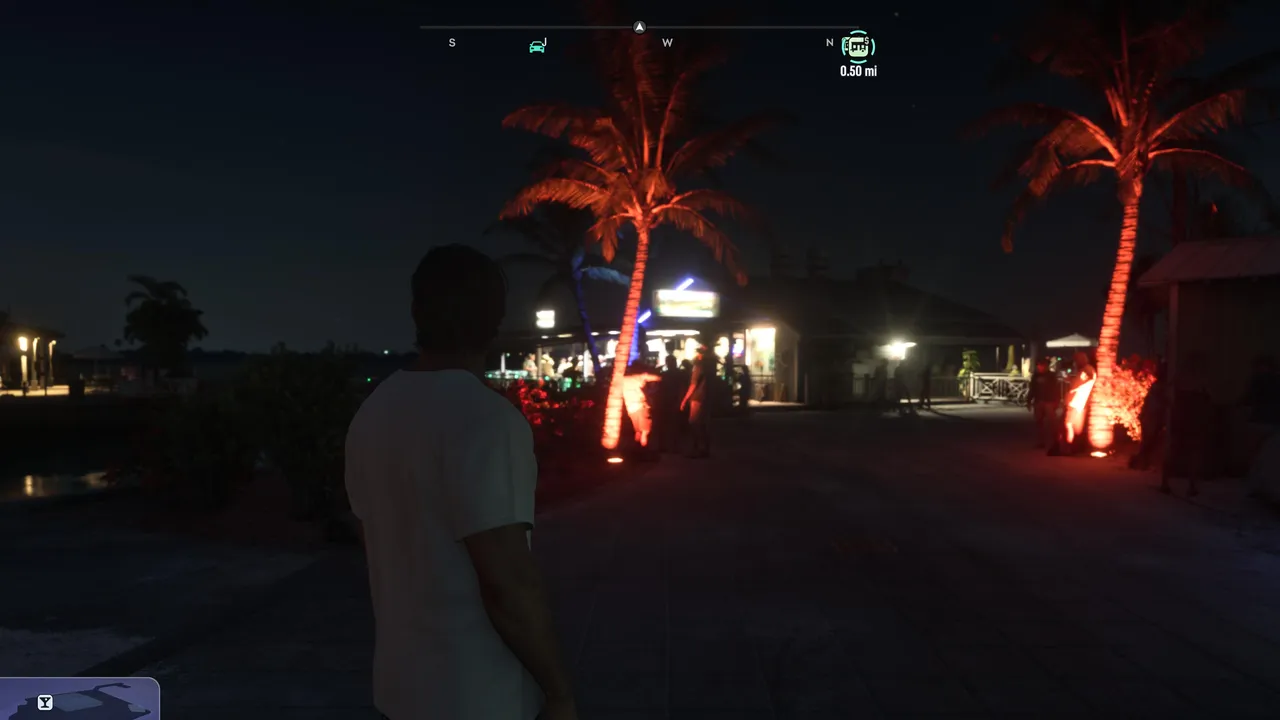
Since update 01.002.002 arrived on November 23, a growing number of GTA 6 players on PS5, PS5 Pro and Xbox Series X|S say the game looks worse than on launch day: blurrier textures, more pop-in, stronger depth of field and flatter lighting. Notebookcheck picked the story up on November 28. Rockstar has not commented, and the patch notes don't mention any graphics changes. Not everyone sees it: some players posted before-and-after shots that look the same to them.
What players report
- Blurrier textures, hair and faces on Jason, Lucia and NPCs.
- More pop-in: trees, road markings and NPC textures appearing right in front of you.
- A much stronger depth of field, so everything in the distance looks out of focus.
- Hazier sky, flatter lighting and less impressive sunsets and reflections.
- Some say traffic and crowds feel thinner.
Most reports come from PS5 Pro owners, but there are Xbox Series X reports too: "i can see a black placeholder thingie for road lines up ahead and when I'm driving closer it gets turned to white line" (reddit.com/r/GTA6unmoderated/comments/1y5hf18/).
Downgrade or a bug?
We don't know yet. Two things point to a bug rather than a deliberate change: for several players the old look came back after a restart or a cache rebuild, and the same console can look fine one session and blurry the next. One player wrote that "on a fresh reboot the game is back to how it used to look" (reddit.com/r/GTA6unmoderated/comments/1y7d165/). Others say nothing they tried helped.
What helped some players
Try these in order, quickest first. None is confirmed by Rockstar.
- Close GTA 6 completely and fully restart the console (not Rest Mode or Quick Resume). This fixed it for several players.
- In the game's Display settings, turn HDR off and back on. A PS5 Pro player on an OLED TV said this alone brought back the sharp picture.
- PS5: set the console resolution to 1080p and HDR off, restart the PS5, then switch both back to your normal settings.
- PS5: rebuild the database. Turn the console off, hold the power button until the second beep to enter Safe Mode, clear the system cache, then choose Rebuild Database. Your saves are not touched.
- Last resort: reinstall the game. One player said that after a reinstall the game "looks like it did on launch day, even the traffic density is back" (reddit.com/r/GTA6unmoderated/comments/1y7bcn6/).
Didn't help: some players tried every step above and still see the blurrier picture.
The full list of fixes with player confirmations is on our page low-res textures and freezing after update 01.002.002. If the problem is only blurry distance, see GTA 6 looks blurry at a distance, and for the sky blurry, pixelated sky on PS5.
What we'll watch
If Rockstar comments or the next update changes the picture, we'll update this page. If one of the steps above fixed your game, or nothing did, say so on the bug page: the votes there show other players which fix works. What update 01.002.002 did fix is in our patch notes for 01.002.002.
Original source:Notebookcheck
#update#graphics#ps5#ps5 pro#xbox
Discussion
Join the discussion
No account needed. Be civil, no personal info, no piracy or cheat links.
No replies yet. Can you reproduce it? Found a workaround? Start the thread.