Redaktion/Auf English
GTA 6 Xbox bans over auto-uploaded clips: how to turn it off
Some Xbox players say they got two-day suspensions after GTA VI clips uploaded themselves to the Xbox network. Here is what happened and the setting to change.
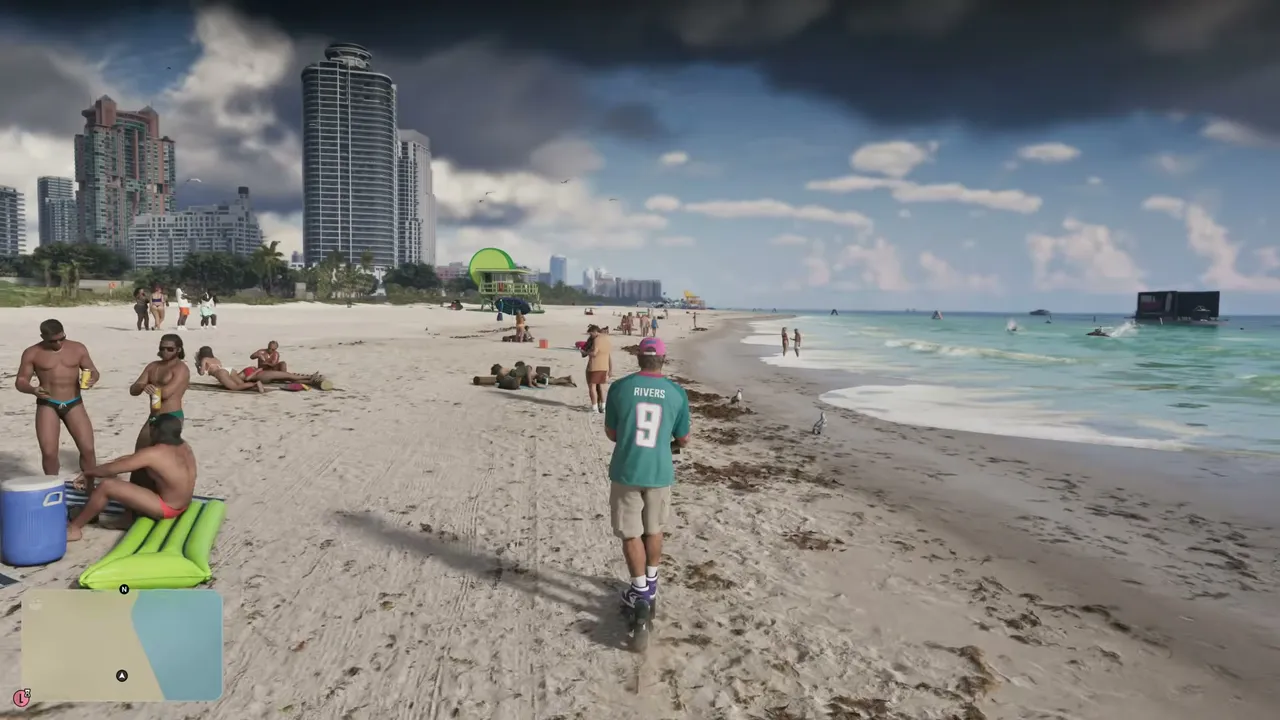
Xbox Series X|S players are warning each other to switch off automatic clip uploads after several reports of temporary account suspensions linked to GTA VI footage.
The story started with a post on r/xbox. A player said their Series X automatically uploaded a 28-second GTA VI clip to the Xbox network, and the account was suspended for two days soon after. According to the player, the clip only showed NPCs in swimsuits on a Vice City beach, with no explicit nudity. The enforcement email cited Microsoft's community standards without naming the exact reason, and the player says the suspension could not be appealed. Other users in the thread described similar short bans, from GTA VI and from older mature games such as Baldur's Gate 3, The Witcher 3 and Cyberpunk 2077.
Beebom, VGC, Insider Gaming and Windows Report have all picked up the reports. Microsoft has not commented, so it is not confirmed whether automated moderation flagged harmless beach footage or whether the banned clips contained more than players describe. What is clear is the mechanism: Xbox can upload your captures in the background, and anything on the Xbox network falls under its content rules, even if you never meant to share it. GTA VI has strip clubs and nudist areas, and the capture button is easy to press by accident.
How to stop automatic uploads on Xbox Series X|S:
- Press the Xbox button and open the Captures tab (or go to Settings, Preferences, Capture & share).
- Open the capture settings.
- Under automatic uploads, set both "To the Xbox network" and "To OneDrive" to "Don't upload".
Your clips stay on the console, and you can still share specific ones by hand. PS5 does not upload captures automatically by default, so this one is mainly an Xbox issue.
What this means for players: change the setting now, before you spend more time on the beaches or in clubs. If you were already suspended, the reports say it is a short two-day restriction on online features, and the single-player game keeps working. Our guides on what GTA VI shows and hides cover the nudity settings (gta6bugs.com/guides/gta-6-nudity-censorship), and if you see a bug or a strange enforcement message, report it to us: gta6bugs.com/report
Source: Beebom, beebom.com/gta-6-players-banned-xbox-how-to-turn-off-auto… (also VGC, Insider Gaming and the original r/xbox thread reddit.com/r/xbox/comments/1y0u01i/psa_turn_off_autouploa…).
Image: DubStepZz on YouTube (gameplay frame).
Originalquelle:Beebom
Diskussion
Mitdiskutieren
Kein Konto nötig. Bleib fair: keine persönlichen Daten, keine Piraterie- oder Cheat-Links.
Noch keine Antworten. Kannst du es nachstellen? Workaround gefunden? Starte die Diskussion.