GTA 6 first person mode glitch: how it works and how to exit
GTA 6 has no first-person option, but a phone + camera-button glitch locks the camera into a full first-person view on PS5 and Xbox. Reload your save to get back to third person.
Workaround
This isn't a real mode; it's a camera glitch (Beebom, Dexerto, Pure Xbox). There is no button to turn it off: every outlet says you have to reload. Make a manual save before you try it.
5 different fixes players reported. Try them one at a time: if Fix #1 doesn't help, open Fix #2.
Fix #1Get back to third person
- Pause the game.
- Load your last save, or Retry Checkpoint during a mission.
- The normal camera comes back.
Fix #2Restore your touchpad map (PS5)
- Pause > Settings > Controller.
- Set Touch Pad Button back from Camera to Map.
Fix #3How the glitch is done (PS5)
- Settings > Controller > Touch Pad Button: Camera.
- Sit in the driver's seat of a vehicle.
- Press Up on the D-pad to open the phone.
- Close it with Circle and immediately spam the touchpad. Repeat until the view switches.
Fix #4How the glitch is done (Xbox)
- Sit in the driver's seat and press Up on the D-pad for the phone.
- Close it with B and spam the View button. Repeat until the view switches.
Fix #5Second route
- Open the loadout in the bed of a pickup and take out a weapon. The camera stayed in first person for him.
In jeder E-Mail mit einem Klick abbestellbar.
Video
Was passiert
GTA 6 launched without a first-person camera mode, but players found a camera glitch that switches the game into a fully playable first-person view. The clip by oneboyler and OrangeGuy (credited to Kackalack as the founder) passed 200,000 views on launch day, and a second creator (FiggleJizz) reproduced it independently. FandomWire and VGTimes also covered it.
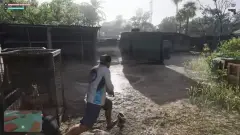
In first person you can walk, drive and fight; the head-bob and weapon animations look surprisingly finished, which is why many players think the mode exists in the files but was switched off.
The catch: there is no normal button to switch back. The camera stays in first person until you reload a save. It's a harmless single-player camera glitch (no money or progress effects reported), so Rockstar may simply patch it out.
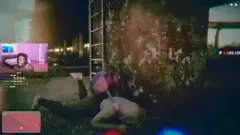
Update (Nov 20): another player on r/GTA posted a clip of a different route into first person. They opened the loadout in the bed of their pickup, took a weapon out, and the camera stayed in first person afterwards, with the gun in view, as they walked along the waterfront at night (reddit.com/r/GTA/comments/1y0ruem/gta_vi_first_person_gli…).
**Update (Nov 20):** the glitch also works on Xbox Series X|S. Xbox players don't need to change any setting: get into a vehicle, open the phone (d-pad up), close it with B and immediately tap the View button (the old Back button) repeatedly until the camera sticks in first person. Pure Xbox and Dexerto both reproduced it on launch day. Expect clipping on the shoulders and rough weapon/vehicle animations, since the view isn't officially supported; reloading a save is still the only reliable way back to third person.
Schritte zum Nachstellen
- PS5 only: Settings > Controller > set "Touch Pad Button" from Map to Camera (Xbox players skip this).
- Get into any vehicle.
- Open the phone (D-pad Up), then close it with Circle (PS5) or B (Xbox).
- Right after closing, press the camera button repeatedly (touchpad on PS5, View button on Xbox).
- If the camera didn't lock into first person, repeat steps 3-4.
Spieler melden das
- 3
- 180.779
- 4
Weitere Clips zu diesem Bug
Ähnliche Bugs
- 0Stimmen
- 0Stimmen
- 0Stimmen
- 0Stimmen

Gerade angesagt
- 0Stimmen
- 0Stimmen
- 0Stimmen
- 0Stimmen
- 0Stimmen
Diskussion
Mitdiskutieren
Kein Konto nötig. Bleib fair: keine persönlichen Daten, keine Piraterie- oder Cheat-Links.
Noch keine Antworten. Kannst du es nachstellen? Workaround gefunden? Starte die Diskussion.