GTA 6 huge star-shaped light flares at night on Xbox Series S
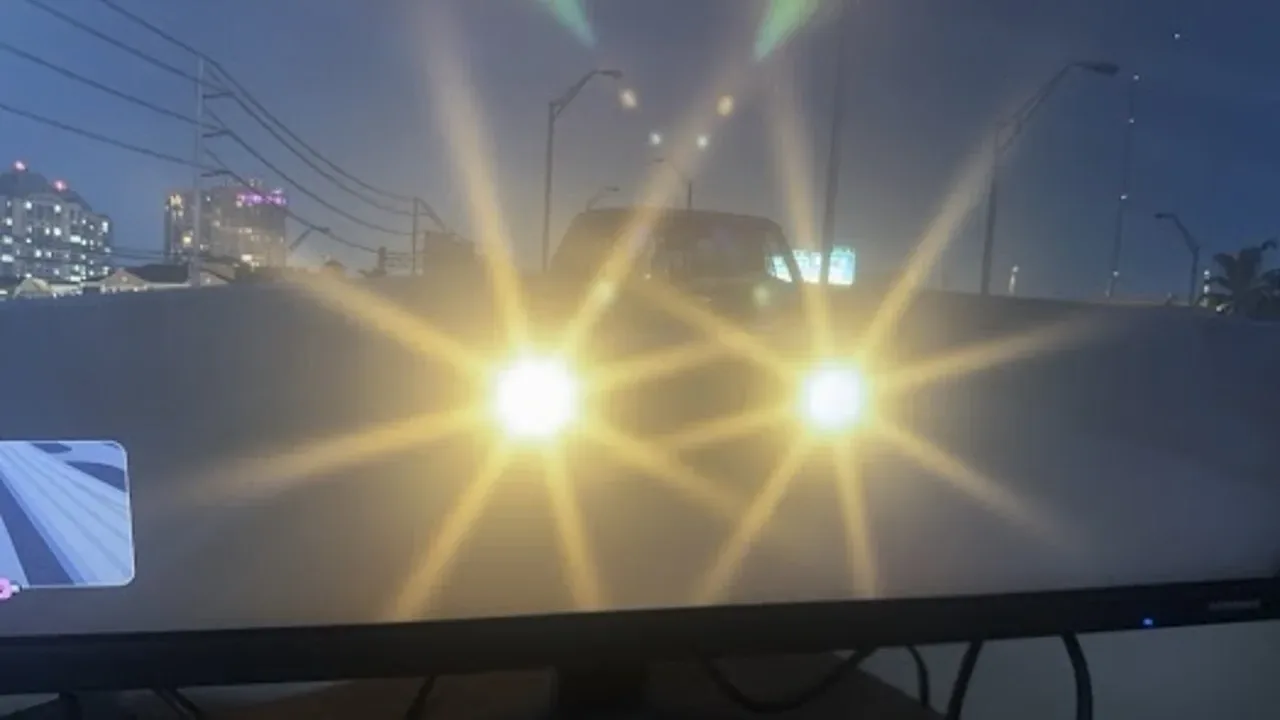
Streetlights and vehicle headlights produce large, sharp, 8-point star-shaped flares, making the lighting look unnatural and distracting during nighttime gameplay.
Quick answerReported on Xbox Series X|S; no official patch as of . 4 player fixes, most-confirmed first: “Turn off sharpening on the TV”. See Fix #1 below ↓
Update 01.002.002 is out (Nov 23, 2026). Rockstar hasn't said if it fixes this bug: update, test it and vote on the fix below.
Workaround
On this Xbox Series S, streetlights and car headlights at night throw large, sharp eight-point stars. The reporter's photo of the TV shows them on a road in Vice City. Part of it may be the game's own lens effect: players on r/GTA6unmoderated also call the bloom and lens flare heavy (thread), and one compared it to seeing lights with astigmatism (thread). It is worth checking the console and TV side too. 4 things to try.
4 different fixes players reported. Try them one at a time: if Fix #1 doesn't help, open Fix #2.
Fix #1Turn off sharpening on the TV
Source: general advice for star-shaped halos around bright lights (TV sharpness and edge enhancement make them bigger). No player has confirmed it for this bug yet.
- Open the TV's picture settings for the input the Xbox is on.
- Set Sharpness to 0 and switch off Edge enhancement, Super resolution or any 'clarity' option.
- Use the TV's Game mode and look at a streetlight again.
Did Fix #1 work for you?Fix #2Check HDR and calibration on the Xbox
Source: general advice for over-bright lights on Xbox. No player has confirmed it for this bug yet.
- Settings > General > TV & display options > Video modes: try turning off Allow HDR10 and Auto HDR.
- Restart GTA 6 and compare the same street at night.
- If you keep HDR, run Calibrate HDR for games in the same menu.
Did Fix #2 work for you?Fix #3Lower the in-game brightness
Source: general advice. No player has confirmed it for this bug yet.
- Pause the game and open the display settings.
- Lower the brightness and, if there is one, the HDR peak brightness.
Did Fix #3 work for you?Fix #4Photo mode lets you switch the effects off
Source: a player on r/GTA6unmoderated (in camera mode you can turn off bloom and lens flare). It only works for photos.
- Open the camera or photo mode.
- Turn off Bloom and Lens flare for your shots.
Did Fix #4 work for you?TipUntested tips
- If you play on PS5 or Series X too, tell us in the comments whether the stars look the same there. That shows whether it's only the Series S.
- A clip or screenshot taken with the Xbox capture button shows it more clearly than a photo of the TV.
Unsubscribe with one click from any email.
Still broken? Tell Rockstar
A ready-made complaint to Rockstar Support, not a share button. The more players send it, the faster it gets fixed.
0players sent it
How it works · preview the report
The support form button copies the report text: sign in with your Rockstar account and paste it. X and Threads post it publicly with @RockstarSupport / @rockstargames tagged, so Rockstar sees how many players are stuck.
Subject: GTA VI bug report: huge star-shaped light flares at night on Xbox Series S

Hello Rockstar Support,

I'm reporting a bug in Grand Theft Auto VI that many players are hitting.

What happens: Streetlights and vehicle headlights produce large, sharp, 8-point star-shaped flares, making the lighting look unnatural and distracting during nighttime gameplay.

What I and other players have already tried (it does not fix it for everyone):
- Turn off sharpening on the TV
- Check HDR and calibration on the Xbox
- Lower the in-game brightness
- Photo mode lets you switch the effects off
- Untested tips

Platform: Xbox Series X|S (my console: ____ )
Game version: latest update installed

Full details, steps and reports from other affected players: https://gta6bugs.com/bugs/gta-6-huge-star-shaped-light-flares-at-night-on-xbox-series-s-457

Please pass this on to the GTA VI team and let us know if a fix is planned.

Thank you
Still broken? Ask other players on Discord · Know a fix? Get paid if it works for others
What happens
A player reported it on our tracker: "I'm experiencing extremely exaggerated light flares in GTA VI on Xbox Series S. Streetlights and vehicle headlights produce large, sharp, 8-point star-shaped flares, making the lighting look unnatural and distracting during nighttime gameplay."
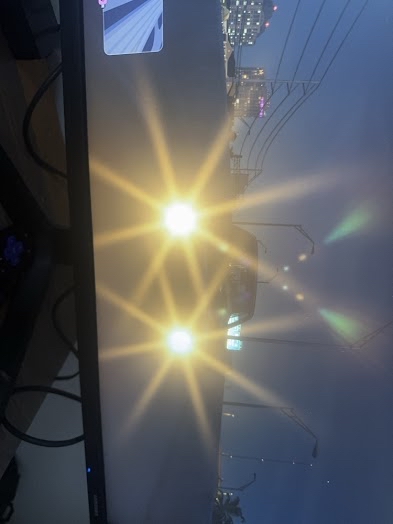
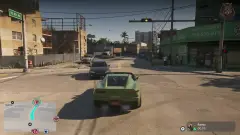
Their photo of the TV shows two headlights on a road at night, each with long eight-point rays.
Details
- #0457
- Unconfirmed
- Minor
- Xbox Series X|S
Steps to reproduce
- Play GTA 6 at night on Xbox Series S.
- Look directly at streetlights or vehicle headlights.
- They show large, sharp eight-point star-shaped flares.
Screenshots
Quick FAQ
- What is “huge star-shaped light flares at night on Xbox Series S” in GTA 6?
- Streetlights and vehicle headlights produce large, sharp, 8-point star-shaped flares, making the lighting look unnatural and distracting during nighttime gameplay.
- How do I fix “huge star-shaped light flares at night on Xbox Series S”?
- Players reported 4 fixes; try them in order: 1. Turn off sharpening on the TV. 2. Check HDR and calibration on the Xbox. 3. Lower the in-game brightness. 4. Photo mode lets you switch the effects off. Tip: Untested tips. Full steps for each are on this page.
- Has Rockstar fixed “huge star-shaped light flares at night on Xbox Series S”?
- Not yet. As of Nov 27, 2026 no patch has fixed it. The latest GTA 6 update we track is 01.002.002 (Nov 23, 2026).
- Is “huge star-shaped light flares at night on Xbox Series S” only on Xbox?
- So far it is reported on Xbox Series X|S. GTA 6 is out on PS5 and Xbox Series X|S only; there is no PC version.
What should we add or improve?
One tap. GTA6BUGS is built from what players ask for.
Related bugs
- 170views
- 21views
- 24views

Explore in GTA 6
Hot right now
- +1 players hit this
- 5.9Kviews
- 2.6Kviews
- #0455Glitches
GTA 6 body disappears when you pick it up
Discussion
Join the discussion
No account needed. Be civil, no personal info, no piracy or cheat links.
No replies yet. Can you reproduce it? Found a workaround? Start the thread.