GTA 6 lag on base PS5: FPS drops to 15-25 and input delay during fights
On the standard PS5, GTA 6 can fall well below its 30fps target in busy gunfights and explosions, and some players say the controls feel delayed until the fight ends. PS5 Pro holds 30fps.
Solution de contournement
There is no setting that raises the frame rate. Things that may help a little:
- Make sure the game is on the latest update (Options > Check for Update) and the PS5 system software is current.
- Turn on your TV's Game Mode (or ALLM) so the display doesn't add extra input lag on top of the game's.
- If you have a PS5 Pro, it runs a locked 30fps.
Report persistent issues to Rockstar Support so they count towards a performance patch.
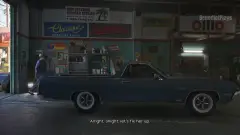
Another tip shared by PS5 players (LADbible, 19 Nov): clear the system cache in Safe Mode and turn off HDCP (Settings > System > HDMI). Players say the frame rate dips below 30 less often afterwards. Driving fast through the city is where base PS5 struggles most.
Désabonnement en un clic depuis chaque e-mail.
Vidéo
Ce qui se passe
GTA 6 targets 30fps on every console with no performance mode (see our page on the 30fps cap). On the base PS5 the game mostly holds that target, but heavy scenes drag it down.
Digital Foundry's tech analysis, reported by Push Square, found "minor dips" while driving fast and more sustained drops in hectic combat with explosions, with the frame rate falling into the mid-20s (as low as 23fps in their grenade-launcher test) and staying there until the player left the area. On PS5 Pro the 30fps was described as "unwavering" with perfect frame pacing.
Players report it feels worse than the numbers suggest. A widely shared post by @iKaito_1 on X (over 2 million views) says the game drops to about 15-20fps during fights on a new base PS5 and that button presses lag noticeably, then everything returns to normal once the fight is over. Other players have posted similar clips of drops to around 20fps.
Rockstar has not commented on base PS5 performance yet and no patch addresses it so far.
Étapes pour reproduire
- Play GTA 6 on a standard (non-Pro) PS5.
- Start a large gunfight, ideally with explosions or many vehicles and NPCs nearby.
- Watch for stutter and a delay between pressing a button and the action on screen.
Des joueurs le signalent
- 1
- 2
- 2
Bugs similaires
- 0Votes
- 1Votes
- 0Votes
- 1Votes

Tendance du moment
- 0Votes
- 2Votes
- 0Votes
- 1Votes


Discussion
Participer à la discussion
Pas besoin de compte. Restez courtois : pas d’infos personnelles, de piratage ni de liens de triche.
Aucune réponse pour l’instant. Vous le reproduisez ? Vous avez une solution ? Lancez la discussion.